
← All Features
✓ Live Now

🌎 Live GPS Tracking

See every vehicle in your fleet on an interactive map in real time. Track routes, monitor speeds, set geofences, and share live locations with brokers and shippers — all without additional hardware.

Start Tracking Free → View All Features
60s
Real-time updates
All vehicles tracked
📍
Geofencing included
$0
Free through 2026
Live fleet tracking map — all trucks in real time
📡 Core Capabilities
Fleet visibility at a glance.

Six powerful tracking capabilities working together to give you complete awareness of every vehicle, every mile, every minute of the day.

📍
Real-Time Vehicle Locations
Every truck appears on your dashboard map with its current position updated every 60 seconds. You always know exactly where each vehicle is — whether it is moving on the highway, stopped at a shipper, or parked at a rest area. Positions are accurate to within 10 meters using device GPS, and each marker shows the driver name, vehicle number, and current duty status at a glance.
🛠
Route History & Breadcrumbs
Review the exact path any vehicle traveled over the past 90 days. Route breadcrumbs are drawn as polylines on the map, letting you see every turn, stop, and detour. This is invaluable for verifying driver compliance with planned routes, investigating customer complaints about late deliveries, or confirming that a driver actually visited a specific location on a given date.
Speed Monitoring
GPS data includes instantaneous speed at every coordinate point. Fleet managers can set speed thresholds and receive alerts when a driver exceeds posted limits or company-defined maximums. Speed data feeds into driver scorecards, helping you identify coaching opportunities and reduce accident risk across the fleet. Historical speed data is available for 90 days.
🚩
Geofence Alerts
Draw virtual boundaries around any location — shipper yards, receiver docks, fuel stops, or your own terminals. When a vehicle enters or exits a geofence, the system automatically timestamps the event and can send notifications to dispatchers, brokers, or shippers. Geofence data also provides documentary proof for detention time claims.
ETA Calculations
The platform continuously calculates estimated time of arrival based on the vehicle’s current location, remaining distance to destination, average road speed, and the driver’s available hours of service. ETAs update automatically as conditions change, so brokers and shippers always have the most current delivery estimate without calling the driver.
💻
Multi-Vehicle Dashboard
View your entire fleet on a single screen. Filter by driver status (driving, stopped, off-duty), by load assignment, by geographic region, or by vehicle type. The dashboard supports both map view and list view so you can quickly scan dozens or hundreds of vehicles. Click any vehicle to open a detailed side panel with driver information, current load details, and HOS clock.
🗺 Interactive Map
The live map experience.

An interactive, browser-based map that puts your entire fleet at your fingertips. No plugins, no downloads — just open your dashboard.

🚚 Vehicle Markers

Every vehicle on the map is represented by a colored marker that communicates status at a glance. Green markers indicate the driver is currently driving and making progress toward their destination. Yellow markers show vehicles that are stopped but the driver is still on duty — typically at a shipper or receiver waiting for loading or unloading.

Gray markers represent drivers who are off duty or in their sleeper berth. Red markers flag any vehicle with an active alert, such as a speed violation or an overdue HOS break. Hovering over any marker reveals the driver’s name, vehicle number, and current speed.

  • Green = driving, en route
  • Yellow = stopped, on duty
  • Gray = off duty or sleeper
  • Red = active alert or violation

🔍 Click-to-Inspect Panel

Click any vehicle marker on the map to open a detailed side panel. This panel provides a comprehensive snapshot of the vehicle and its driver without leaving the map view. You can see the driver’s full name, assigned vehicle, and current contact method. The load section shows the active shipment with origin, destination, and commodity type.

The HOS section displays the driver’s remaining hours in a visual bar chart format: drive time remaining, on-duty time remaining, and cycle time remaining. Below that, you see the current speed, the street address of the vehicle’s location (reverse geocoded), and the last GPS update timestamp.

  • Driver name and vehicle ID
  • Active load with origin/destination
  • Hours of service remaining (visual bar)
  • Current speed and heading
  • Reverse-geocoded street address
  • Last update timestamp

🛣 Route Polylines

Toggle route display to see the path each vehicle has traveled during its current trip. Routes are drawn as smooth polylines connecting each GPS coordinate point in chronological order. The lines are color-coded to match the vehicle marker so you can distinguish overlapping routes from different trucks.

For historical review, select any date in the past 90 days and replay the route a vehicle traveled. This playback mode animates the marker along the route at adjustable speed, showing the time and speed at each point. Fleet managers use this feature to audit route adherence, investigate incidents, and verify trip logs.

🌐 Map Controls

The map supports standard gestures including pinch-to-zoom on mobile and scroll-to-zoom on desktop. Toggle between street map view and satellite imagery view depending on what you need to see. Street view is best for route planning and navigation context, while satellite view helps when you need to identify specific buildings, yards, or parking areas.

Use the search bar to jump to any address, city, or ZIP code. The map automatically clusters nearby vehicle markers at lower zoom levels and expands them as you zoom in, keeping the display clean even for large fleets with hundreds of vehicles.

GPS satellite data from ERETH ELD to dispatch map
⚙ Technical Details
How GPS data flows.

From the driver’s phone to your dashboard map, GPS coordinates travel through a reliable pipeline designed for accuracy, speed, and minimal battery impact.

1
Driver App Captures Coordinates
The VAU0 driver app running on the driver’s Android or iOS phone accesses the device’s built-in GPS receiver. Every 60 seconds, the app captures the current latitude, longitude, altitude, speed, and heading. The app uses the phone’s native location services, which combine GPS satellite signals with Wi-Fi and cell tower data for maximum accuracy. No separate GPS hardware or tracking device is needed.
2
Fallback to Cell Tower Triangulation
In areas with weak GPS signal — tunnels, dense urban canyons, or heavily wooded regions — the app falls back to cell tower triangulation. While less precise (accuracy within 100–300 meters vs. 5–10 meters for GPS), this ensures continuous tracking even when satellite signals are unavailable. The system records the accuracy confidence level with each data point so you can distinguish precise fixes from estimated ones.
3
Secure Transmission to API Server
GPS data points are batched and transmitted via HTTPS to the VAU0 API server. If the device temporarily loses cellular connectivity, data points are queued locally on the phone and uploaded as soon as connectivity returns. This store-and-forward approach means you never lose tracking data, even in dead zones. Data is encrypted in transit using TLS 1.3.
4
Database Storage with Timestamp
Each GPS coordinate is stored in the database with a precise UTC timestamp, the driver’s ID, the vehicle ID, speed, heading, and accuracy confidence level. This creates a complete, tamper-resistant audit trail of every vehicle’s position history. All historical route data is retained for 90 days, meeting FMCSA requirements for supporting documentation.
5
Real-Time Map Dashboard Update
The web dashboard polls for new GPS data every 15 seconds and updates vehicle markers on the map in near real time. When a vehicle’s position changes, its marker smoothly animates to the new location rather than jumping, providing a natural visual experience. Geofence calculations run server-side, triggering instant alerts when a vehicle crosses a boundary.
Battery optimization: The VAU0 driver app uses intelligent GPS sampling to minimize battery drain. When the vehicle is stationary, sampling frequency drops to every 5 minutes. When moving, it captures every 60 seconds. Drivers typically see less than 8% additional battery usage over a full driving day.
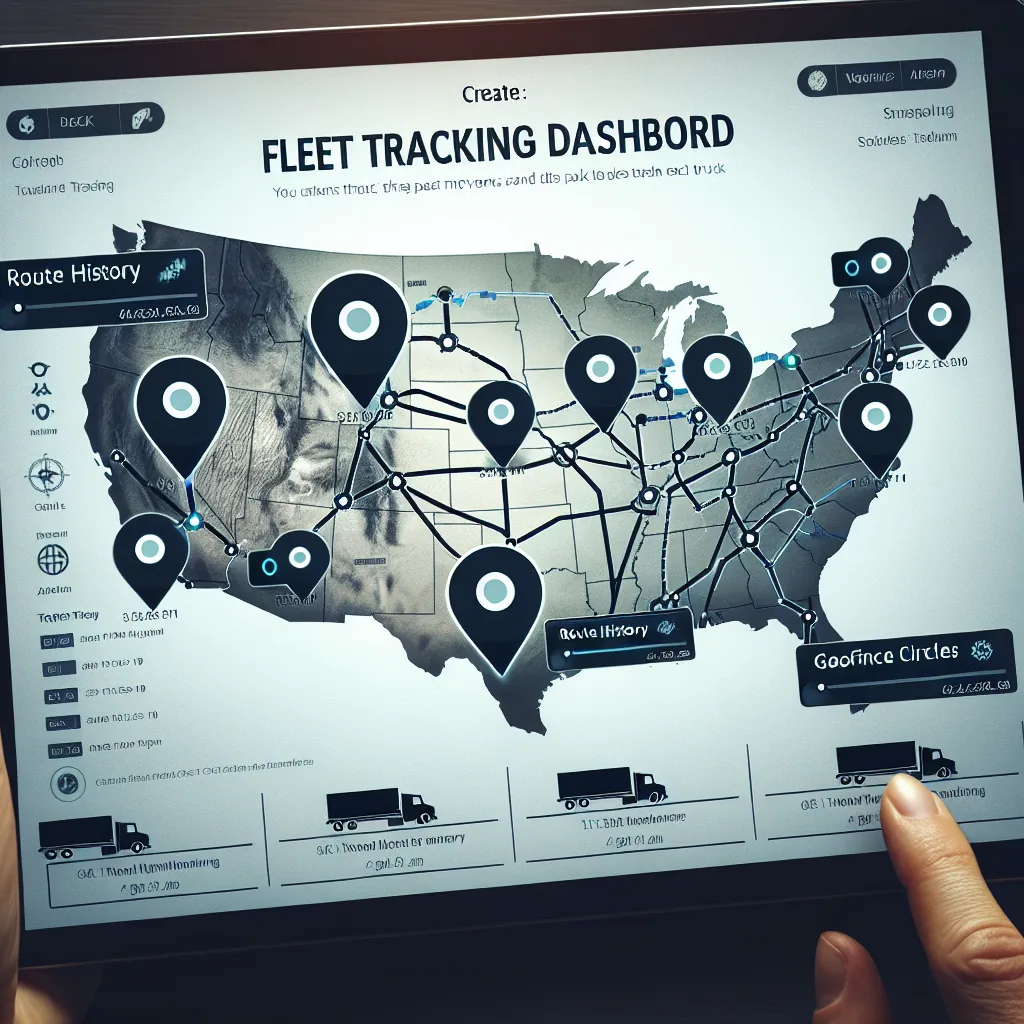
Fleet tracking dashboard on tablet
🚩 Virtual Boundaries
Geofencing that works for you.

Create virtual perimeters around any location. When a vehicle enters or exits, the system reacts automatically — logging times, sending notifications, and generating documentation.

🏭
Pickup & Delivery Geofences
Set a geofence around every shipper and receiver location. The system automatically detects when your driver arrives and departs, recording exact timestamps without the driver needing to check in manually. These timestamps integrate with your TMS to auto-populate actual arrival and departure fields on the load record, saving dispatchers from manual data entry and providing accurate transit time reporting.
🔔
Automatic Notifications
Configure who gets notified when geofence events occur. Dispatchers can receive alerts when a driver arrives at a pickup location. Brokers can be automatically notified when a truck is within 30 minutes of the delivery. Shippers can get a heads-up to prepare their dock. Each notification rule is fully configurable — choose the geofence, the event type (enter or exit), and the recipient.
📄
Detention Time Documentation
Detention claims require proof that your driver was at a facility for an extended period. Geofence entry and exit timestamps provide irrefutable, GPS-verified evidence of exactly how long the vehicle was on site. Export this data as a report and attach it to your detention invoice. Many carriers recover thousands of dollars in previously undocumented detention by using geofence timestamps as evidence.
🏢
Yard & Terminal Monitoring
Create geofences around your own yards and terminals to track which vehicles are home and which are on the road. The dashboard shows a count of vehicles currently inside each geofenced yard, helping operations managers plan driver assignments and equipment availability. Know instantly when a driver returns to the yard after a trip without waiting for a phone call or check-in.
Fuel Stop & Rest Area Zones
Mark preferred fuel stops and approved rest areas as geofences. Monitor whether drivers are fueling at your network fuel locations to maximize discount programs. Track rest stop usage patterns to understand driver behavior and identify opportunities for better route planning. Set alerts if a driver stops at an unapproved location or deviates significantly from the planned route.
🛠
Custom Geofence Shapes
Geofences can be drawn as circles with a configurable radius (useful for general areas) or as custom polygons (useful for oddly shaped yards, port terminals, or industrial complexes). The polygon editor lets you click to define each boundary point on the map. Once saved, geofences are active immediately and apply to all vehicles in your fleet. You can create an unlimited number of geofences at no additional cost.
⏰ Arrival Intelligence
ETA & arrival predictions.

Automatically calculated and continuously updated delivery estimates that keep everyone informed without a single phone call.

How ETAs Are Calculated

The ETA engine considers five key factors when estimating arrival time. First, the vehicle’s current GPS location provides the starting point. Second, the remaining driving distance to the destination is calculated using road network routing, not straight-line distance. Third, the driver’s available hours of service determine whether the driver can complete the trip without a mandatory break.

Fourth, the driver’s average speed over the past hour provides a real-world speed estimate that accounts for current road conditions. Fifth, historical transit time data for similar routes helps refine the estimate based on patterns like slower speeds through construction zones or metropolitan areas.

  • Current GPS coordinates of the vehicle
  • Road-network driving distance remaining
  • Driver’s available HOS (drive clock, on-duty clock)
  • Rolling average speed over the past 60 minutes
  • Historical transit time patterns for the route corridor

Automatic Broker & Shipper Updates

When a load is assigned to a driver, the system generates an initial ETA and shares it with the broker or shipper via a tracking link. As the driver progresses, the ETA is recalculated continuously and the tracking page updates automatically. If the ETA shifts by more than 30 minutes, the system can send an email or webhook notification to the broker alerting them to the change.

This eliminates the need for check-call phone calls. Brokers simply open the tracking link and see the vehicle’s current position, projected arrival time, and delivery status. The tracking link is unique per load and does not expose information about your other vehicles or loads — the broker only sees what they need to see for their specific shipment.

  • Unique tracking link per shipment
  • Live map position visible to broker
  • Automatic ETA recalculation every update cycle
  • Email alerts when ETA shifts significantly
  • No fleet data exposed — single load only
HOS-aware predictions: Unlike basic GPS trackers that only consider distance and speed, VAU0’s ETA engine factors in the driver’s hours of service clock. If a driver will need to take a 10-hour break before reaching the destination, the ETA automatically accounts for that mandatory rest period — giving the broker a realistic arrival time, not an overly optimistic one.
📈 Comparison
GPS tracking vs. competitors.

See how VAU0’s included GPS tracking compares to standalone fleet tracking solutions on the market. VAU0 includes GPS as part of the platform at no extra cost.

Feature VAU0 GPS Samsara Motive (KeepTruckin) Verizon Connect
Real-time tracking
Update frequency Every 60 seconds Every 60 seconds Every 60 seconds Every 60–120 seconds
Geofencing Unlimited Included Included Included
ELD integration Native (ERETH) Native Native Separate product
TMS integration Built-in Third-party Third-party Third-party
Mobile driver app Android & iOS Android & iOS Android & iOS Android & iOS
Broker tracking links Included Add-on Add-on Not available
Monthly cost per vehicle $0 through 2026 $25–$40/mo $20–$35/mo $25–$45/mo
Contract required No contract 3–5 year contract 1–3 year contract 3–5 year contract
Hardware required None (phone-based) Samsara gateway device Motive vehicle gateway Verizon OBD/hardwire tracker
Route history retention 90 days 90 days 90 days 60 days (standard)
Speed alerts
Key advantage: VAU0’s GPS tracking requires zero hardware installation. Drivers simply install the VAU0 app on their phone, and tracking begins immediately. This eliminates installation appointments, hardware costs, and the risk of device failure. It also means owner-operators and leased-on drivers can be tracked from day one without any truck modification.
👥 Who Benefits
Use cases across the supply chain.

GPS tracking serves different needs for different roles. Here is how each stakeholder uses VAU0’s live tracking capabilities.

🚚
For Carriers
Know where every truck in your fleet is at all times. Plan dispatching decisions based on real-time proximity — assign the closest available driver to a new load rather than guessing. Monitor driver progress against planned routes and schedules. Identify bottlenecks like extended shipper wait times. Use route history to verify fuel receipts and optimize fuel purchasing across your network.
🤝
For Brokers
Gain real-time visibility into shipments you have brokered without relying on check-call phone calls. Access the tracking link for any load to see the truck’s current position and ETA. Proactively alert your shippers about delays before they call you. Use tracking data to evaluate carrier reliability — compare actual transit times against quoted estimates to make better booking decisions in the future.
🏭
For Shippers
Track inbound freight to your facilities in real time. Prepare dock doors and receiving crews based on actual vehicle ETAs rather than scheduled appointment times. Reduce dock congestion by staggering arrivals using real-time position data. Verify that temperature-sensitive or high-value loads are following approved routes. Access proof-of-delivery timestamps for your supply chain records.
👨
For Drivers
Share your location automatically without interrupting your driving to answer phone calls from dispatch. Your GPS position speaks for you — dispatch can see you are en route and on schedule without calling. Provide verifiable proof of your arrival times at shippers and receivers, protecting yourself from false detention or late-arrival claims. Focus on driving safely while the technology handles communication.
🛡
For Safety Teams
Monitor driving speeds across the fleet to identify habitual speeders before an accident occurs. Review route compliance to ensure drivers are following approved corridors and avoiding restricted roads. Investigate incidents by replaying the exact route and speed at the time and location of any reported event. Build driver safety scorecards using objective GPS data rather than anecdotal reports.
📈
For Operations Managers
Gain a high-level dashboard view of fleet utilization. See how many vehicles are actively loaded and moving versus sitting idle. Identify regional imbalances where trucks are clustered in one area while loads are available in another. Use GPS data to calculate actual miles driven versus estimated miles, improving future load profitability calculations and fuel cost projections.
🏁 Quick Setup
Start tracking in three steps.

No hardware to install, no contracts to sign, no setup fees. Your fleet can be live on the map in under 15 minutes.

1

Drivers Install the VAU0 App

Each driver downloads the VAU0 driver app from the Google Play Store or Apple App Store. The app is free and takes less than two minutes to install. Drivers log in with the credentials provided by their carrier and grant location permission when prompted. That single permission enables all GPS tracking functionality.

2

GPS Tracking Starts Automatically

Once a driver logs in and starts their duty day, GPS tracking begins automatically in the background. There are no buttons to press, no mode to enable, and no configuration required. The app captures coordinates every 60 seconds and transmits them to the VAU0 platform. The driver can use other apps, make calls, or lock their phone screen — tracking continues uninterrupted.

3

View All Vehicles on Your Map

Log in to your VAU0 carrier dashboard and open the Fleet Map. Every driver who has installed the app and is on duty appears as a live marker on the map. Click any marker to view details. Set up geofences, configure alerts, and generate tracking links for brokers. The dashboard works on any modern browser — desktop, tablet, or phone — no software installation needed.

Zero cost: Live GPS tracking is included with every VAU0 account at no additional charge. There are no per-vehicle fees, no monthly GPS subscription, and no hardware costs. This applies to all vehicles in your fleet, whether they are company trucks, leased vehicles, or owner-operator equipment.
🔗 Related Features
Works seamlessly with these features.

GPS tracking connects with other VAU0 platform features to create a comprehensive fleet management system.

Real-time fleet tracking from above
See your fleet in real time.
Every vehicle, every route, every mile — on your screen in real time. Free GPS tracking is included with every VAU0 account through December 2026. No hardware, no contracts, no hidden fees.